eureka seven pocket ga niji de ippai
Skin.Diamond
rookie s08e09
6/6
c-algorithm
suzumiya haruhi chan no yuutsu
isekai nonbiri nouka s02e09
android
evangelion 10 you are not alone 2007
x men the animated series s03e08
battlebots-s04e07
neonoir 2026
108-pdf
Last Seen S01E04
price is right s48e108
90 day fiance before the 90 days s01e06
price is right s48e108
the national parks americas best idea
tron uprising s01e01
nitty gritty dirt band symphonion dream
▲
Band In a Box 2026 Update v1220 [Win EN Crack]
seeders: 6
leechers: 0
Download Fast Safe Anonymous
movies, software, shows...
movies, software, shows...
Files
Band In a Box 2026 Update v1220 [Win EN Crack] (Size: 832.78 MB)
| Patch | |||
| bbw.exe | 49.42 MB | ||
| bbw2_32.exe | 43.5 MB | ||
| bbw2_64.exe | 76.41 MB | ||
| bbw4_32.exe | 49.46 MB | ||
| bbw4_64.exe | 76.5 MB | ||
| bbw64.exe | 77.1 MB | ||
| bb2026_win_update_build1220.exe | 460.39 MB |
Description
BAND IN A BOX 2026 v1220 Upgrade [WIN ENG Crack]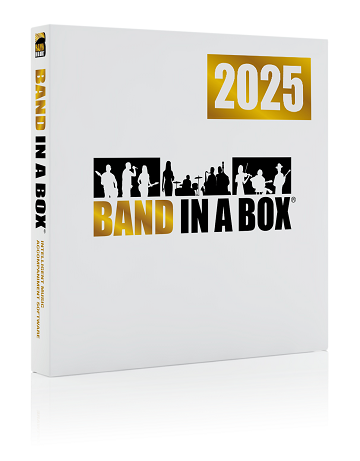
éditeur : PG Music Inc
langue : Anglais
version : 2026
taille du post : 832,7 Mo
nombre de fichiers : 7
OS compatibles : Windows 7 à 11
note d'installation :
1) Installer le fichier : bb2026_win_update_build1220.exe
2) Remplacer les fichiers depuis le répertoire "Patch" vers le répertoire d'installation
configuration minimale requise :
- Windows®: 7 / 8 / 8.1 / 10 / 11 (32 or 64-bit)
- Minimum 1GB RAM (2GB+ recommandés)
- Minimum 1.0 GHz processeur (2GHz+ multicore recommandé)
- 1GB free Hard Disk space for a minimal install (15GB+ recommended)?
- 1024x768 screen resolution (1360x768+ recommended)
- Carte son ou module midi.
This patch will update Band-in-a-Box® 2026 to Build 1220 from any previous 2026 build.
Release notes
- Added: Plugins button to set Plugin Options and Default Synth (optional button in the Top toolbar additional buttons group)
- Added: Chord Display button (optional button in the Top toolbar additional buttons group, same function as button in ChordSheet toolbar)
- Added: Full tooltip hints for the all the tabs in the MultiPicker Library
- Added: Tooltip hints for List View columns in MultiPicker (StylePicker, RealDrums, RealTracks, Titles, SongPicker).
- Added: Menu item on tracks menu
- Added: Edit Midi | Rechannel back to generic channel (not guitar or piano channels)
- Improved: Show Tracks (eye) popup menu on Tracks window and Mixer window is more intuitive and lets you 'force' show or hide individual tracks. These tracks will remain in the selected state and are saved for the current song.
- Improved: Auto-show tracks works for frozen tracks also.
- Fixed: ACW marker line colors could not be customized, and the 'user' marker line default color was too dark.
- Fixed: If both Chords window and Tracks / Audio Edit / Piano Roll were open and embedded, pressing Delete key to delete a chord in the Chord Sheet didn't work.
- Fixed: Some keystrokes / hotkeys may not work properly if multiple windows open.
- Fixed: Erase button in the Track Settings and Actions dialog, and Erase menu item in Track context menu, were not erasing existing RT tracks
- Fixed: If there were no buttons visible in the one of the button groups (Song Settings / File / Additional), the top toolbar would reserve too much empty space and not resize properly.
- Changed: Dialog on bootup (file crashed, want to load auto-save song) changed to a green flash message
- Changed: Default SongOverview position full width, below top toolbar
- Changed: Transcribe and Stems audio menu items point to updated AI features
- Added: Custom colors for (full) song overview bar hover and current bar, and default has more contrast
- Added: Hint and flash message clarifying that the ACW button opens a multi-view of Chords and Audio Edit windows.
- Fixed: View Button tooltip might cover popup menu.
- Added: Current View auto-saved and loaded at bootup. This is saved as 'Previous Session AutoSaved View' at the top of the Views menu.
- Added: Menu item 'Save current view as Default'. This is saved as 'Default View' at the top of the Views menu.
- Added: View menu item to set the function of the main (left-side) Views button. This will either load the most recent remembered view or load the default view.
- Changed: The default behavior of the main Views button is to load the default view instead of the most recent multi-view.
- Fixed: Piano Roll - Changing velocity by Ctrl-Dragging note does not work
- Fixed: Piano Roll - String Range Filter always shows error message
- Fixed: Piano Roll - When inserting a note, you should hear the note instantly and when dragging the note up/down
- Fixed: Piano Roll - 'N' hotkey should add a new note at the tick cursor with the same pitch as the previous note before it
- Improved: Piano Roll - adding/deleting/moving notes in PR now immediately redraws Notation/Leadsheet window
- Fixed: Longer.sty should be assigned to MIDI set 92.
- Fixed: Erase Track button in the Track Settings and Actions dialog did not affect types of tracks that contain audio (e.g. RealTracks)
- Fixed: RT's 4734, 4735, 4736, 4737, and 4882 don't show any tablature when in notation view.
- Fixed: RT4815 shows in wrong RT set or may be n/a
- Fixed: _COMMUTE style shows incorrect RealDrums in stylepicker/multipicker
- Fixed: _LARK demo references a drum variation that doesn't exist in F5 style change
- Fixed: There are no styles that use RT5033.
- Fixed: _CINCH.STY showed wrong tempo RT for BackgroundSoloing track in StylePicker.
- Added: Several new styles (.STY) (6 for the bonus 49PAK + 2 more)
- Fixed: Some newer Playable RealTracks and PRT demos weren't working and have been added/fixed.
- Fixed: Some newer Shots and holds that were missing have been added/fixed.
Related Torrents
| torrent name | size | uploader | age | seed | leech |
|---|---|---|---|---|---|
| 878.78 MB | Cyli31 | 8 months | 0 | 3 | |
| 18.79 GB | Meloman98 | 8 months | 1 | 3 | |
| 1.05 GB | Cyli31 | 1 year | 8 | 0 | |
| 2.84 GB | Cyli31 | 1 year | 0 | 2 | |
| 41.57 MB | Hrund | 1 year | 0 | 0 |
All Comments