Growl 2.0.1
movies, software, shows...
Files
| Growl 2.0.1.dmg | 7.62 MB |
Description
Apple » Apple Macintosh » Системные программы (Mac OS)
Growl
[hr]
Год выпуска: 2011
Версия: 2.0.1
Разработчик: The Growl Project, LLC
Платформа: Intel only
Системные требования: Mac OS X 10.7.0 и более новая
Язык интерфейса: только английский
Таблэтка: Не требуется
[hr]
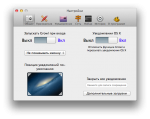
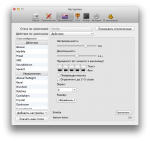
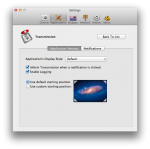
Growl — это система уведомлений и нопоминаний, которая интегрируется на уровне системы Mac OS и может быть использована различными приложениями для вывода различного рода информационных сообщений на экран пользователя. Не все знают, что Growl это отдельный независимый «плагин», который пользователь может настраивать независимо от использующих его приложений. В частности, к услугам Growl прибегают такие программы как Adium, Transmission, Dropbox, Skype и т.д. Именно благодаря Growl на экране появляются системные сообщения от этих программ и именно через панель управления Growl их можно настроить или отключить.
[spoiler="Изменения в версиях с 1.3.1 по 2.0.1"]
[spoiler="Изменения в версии 1.3.1"]
[*] Growl can now run in the background, and in other ways. Thanks for the feedback!
[*] The Rollup window can be made to show up on demand, or can even be disabled. Thanks for the feedback on this as well!
[*] Changing settings in applications now show up without restarting Growl.
[*] And much more…
[/spoiler]
[spoiler="Изменения в версии 1.3.2"]
[*] Resolves issue with notifications becoming stuck and the close button no longer functioning. Thanks for the feedback!
[*] History now sorts newest to oldest by default.
[*] Resolves an issue with the automator action being unusable.
[/spoiler]
[spoiler="Изменения в версии 1.3.3"]
[*] Growl now works correctly on case sensitive file systems.
[*] All of the preference selections should now show up in the toolbar.
[/spoiler]
[spoiler="Изменения в версии 1.4"]
General
Applications Tab Redesign! This is a major overhaul, and should be much easier to use.
Moved Rollup controls to separate tab.
Major improvements to networking.
Preference Pane overhaul
New slider switch for on/off switches
Added keyboard support to position picker.
General Tab Relayout.
Networking tab
Add support for subscription
History Tab, contextual menu for history table to jump to the app/notification settings
Rollup tab is the new home of controls related to the Rollup window.
Adding a new display should not require a restart of Growl now.
Networking
Support for Notification-Callback-Target, a URL field in GNTP. Upon click, Growl lets OSX figure out how to open the URL (such as the default browser for an http:// url)
Subscription support, subscribe to all applications on a remote machine.
General improvements to networking authentication, removed requirement for, and use of password headers if the password field is blank
Fix networking crash related to address data resolution.
Bind to local socket only if not listening for incoming notifications.
Address data caching, and observation of network changes to clear caches
Applescript
URL click feedback support, same as Notification-Callback-Target in GNTP
Bug fixes
Resolved a crash with webkit plugin bridge on creation.
Resolved a crash with forwarding.
Resolved an issue where the Speech display waits for previous message to complete causing a CPU drain
Resolved a crash with CFErrorGetDomain for WebKit Display Styles.
Fixed duplicate listings of display plugins on reinstall.
Notification-Callback-Target is now respected, and used, even without the method header.
Worked around problems with corrupt history databases.
Fixed a sorting problem when deleting a single entry in the history list
[/spoiler]
[spoiler="Изменения в версии 2.0"]
General: Adds support for OS X notification center on 10.8.
Adds in support for Prowl and Boxcar services as action displays.
Rollup has better idle detection.
Growl is now sandboxed. Preferences: The ON/OFF switch throughout Growl should be easier to understand now. Displays: Speech now introduces greater control.
Separates Action displays from Visual displays.
Music Video can now left and right justify text.
Fixes height problems for multi line notifications in Music Video.
Nano can now display in multiple locations, left, center and right.
Added an SoundAction display.
Added a way to not have any visual notifications. Bug fixes: Resolves the high CPU issue.
Resolves multiple crashes.
Shortcuts can now be unset.
[/spoiler]
[spoiler="Изменения в версии 2.0.1"]
[*] Addresses the positioning problem that showed up in 2.0, thanks for the feedback!
[*] Addressed multiple crash reports.
[/spoiler]
[/spoiler]
[spoiler="Скриншоты"]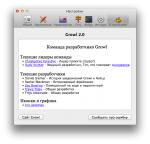
[/spoiler]
Раздача будет обновляться по мере выхода новых версий
Related Torrents
| torrent name | size | uploader | age | seed | leech |
|---|---|---|---|---|---|
| 6.13 MB | Doktor S. | 12 years | 4 | 0 | |
| 6.3 MB | 100XY | 13 years | 2 | 0 |
All Comments