Little Snitch 3.0.2
movies, software, shows...
Files
| Little Snitch 3.0.2.dmg | 13.11 MB |
Description
Apple » Apple Macintosh » Программы для интернета и сетей (Mac OS)
Little Snitch
[hr]
Год выпуска: 2011
Версия: 3.0.2
Разработчик: Objective Development Software GmbH
Платформа: Intel only
Системные требования: Maс OS X 10.6 и более новая
Язык интерфейса: только английский
Таблэтка: Присутствует
[hr]
Little Snitch - популярная утилита, которая позволяет блокировать трафик в различных приложениях. Во избежание вероятной передачи данных с троянов, шпионских процессов и прочих недобросовестных программ, пользователь может установить набор правил, открывающий трафик только для проверенных приложений. Утилита просто необходима при первом запуске неизвестных программ. Также она часто используется любителями warez-софта для блокировки оповещения, когда приложение хочет передать о себе сведения на домашний сервер. Во второй версии программы появился монитор сетевой активности, который отображает детальную информацию по всему трафику.
[spoiler="Изменения в версиях с 3.0 по 3.0.2"]
[spoiler="Изменения в версии 3.0"]
Overview Brand new Network Monitor
Firewall for incoming connections
Profiles
Silent Mode
Simplified Connection Alert
Research Assistant for connection attempts
Redesigned Configuration Interface
Ruleset Analyzer and sorting by precedence
Rule Suggestions
Domain based rules via Connection Alert
More powerful rules (ask-option, time limits, multiple destinations)
Improved menu bar item
Optimized for MacBook Pro with Retina display
New app icon designed by The Iconfactory Network Monitor Get an overview of network traffic
Traffic Diagram
Visual representation of traffic amounts over time.
Highlighting of system events (application launched, application terminated, computer sleep, …)
Display data rates on logarithmic or linear scale.
Zoom into time ranges of choice.
Supports multi-touch gestures for scrolling and zooming.
Selecting in the traffic view causes connection list to only show applications that where active (caused traffic) during that time.
Powerful sorting options (last activity, total traffic amount, process name, server name, …)
Save snapshots to investigate connection details at any later point of time.
Capture traffic of certain applications as .pcap file to open it with packet analyzer tools (such as Wireshark or Cocoa Packet Analyzer).
Easily create rules from context menu.
Show denied connection attempts.
List other hostnames resolving to same IP address.
Highlight corresponding rule in Configuration to find out which rule was responsible for allowing / denying this connection.
Search Field Tokens -- Use keywords (process, server, host, ip, protocol, port or status) to filter your connection list.
Network Monitor Inspector.
Further details of selected connection entries.
Displays information about the process, server identification (hostnames, IP address), connection statistics (ports, traffic amounts, time of first / last activity, …).
Connection inspector now shows all information suitable for a search in the connection list as roll-over button so that a search can be started simply by clicking. Connection Alerts Simplified Connection Alert -- choose your preferred level of detail.
More versatile temporary rules: Until Quit, Until Logout, Until Restart, For [n] Minutes, etc.
Creation of domain rules.
Select other hostnames resolving to same IP address to create a rule for. Research Assistant New Research Assistant for Connections. Little Snitch's Connection Alert now has a help button. Clicking the button triggers a query to the Research Assistant Database (maintained by Objective Development) and displays information about the current connection attempt.
Users can improve the information returned by submitting feedback directly from the Connection Alert. This data is sent anonymously and will be reviewed by Objective Development. Configuration Powerful new interface.
Manage profiles
Create or delete profiles.
Easily add rules to profiles via Drag&Drop.
Enable profiles by double-clicking on a profile in the sidebar.
Sidebar including
Rule Filters (Last 24 Hours, Temporary Rules, Unapproved Rules, …)
Rule Suggestions.
Profiles.
Ruleset Analyzation
Detection of redundant rules.
Highlighting of redundant / covered rules, to easily see which rules are obsolete.
Sort list of rules by process name, rule precedence or creation date.
Improved search
Narrow search scope to process, rule, enclosing folders, bundle identifier, notes.
Search results now include related rules as well.
Backups of rule archives (e.g. Time Machine) can be restored via Little Snitch Configuration.
Fullscreen support. Suggestions Little Snitch offers rule suggestions based on Silent Mode connections, former, already expired temporary rules, login connections and more.
Rule suggestions can easily be converted into permanent rules.
Rule suggestions can be grouped by their common properties (process, port, host, domain) -- Easily create rules that cover most typical connections for certain processes. Menu Bar Item Revised Design.
Monochrome or colored Icon.
Optionally displays current data rates as numerical values.
Access to important settings.
Switch between Profiles quickly.
Enable or disable Silent Mode quickly. Further Improvements In order to support multiple simultaneous logins, processes are distinguished by the user account that started the process. Rules can be created so that they apply to processes running on behalf of the current user, on behalf of a system account such as root, or on behalf of any account.
When no user is logged in, all connections which are not covered by an existing rule are automatically denied. Rule suggestions are created for these connections and can be reviewed in Little Snitch Configuration.
If you can't login without network access (e.g. network accounts), the system can be restarted in Permissive Mode where all connections are allowed before the first user logs in. Allow-rules are automatically created so that future logins succeed. Permissive mode is also used during the first restart after installation, but not after upgrades.
All components are code-signed.
[/spoiler]
[spoiler="Изменения в версии 3.0.1"]
Rules can now be created by dragging applications on Little Snitch Configuration's dock icon or on Little Snitch's status menu item.
Network Monitor Snapshots are now displayed without traffic meters and server names in gray.
If the "via" executable of a rule does not exist, the rule is now indicated as invalid.
Fixed several bugs in detection of redundant rules (e.g. subdomains covered by domain rule).
Improved generation of notes text for automatically created rules and suggestions.
Changed preferences options beginning with "prevent" into their "allow" counterparts.
Improved installer error reporting if updating boot caches fails.
Installer/uninstaller offers a retry button now if the install / uninstall failed.
Various other bug fixes and improvements.
[/spoiler]
[spoiler="Изменения в версии 3.0.2"]
New Preference setting to limit number of total connections in Network Monitor.
Redesigned visualization of Connection Alert timeout.
Simplified Alert: Adaptive window width.
Improves sorting by precedence in Little Snitch Configuration.
Improves detection of Java applications.
Improves Little Snitch 2 ruleset import.
Bug fixes and performance improvements regarding the ruleset analysis.
Fixes an issue which caused system hangs in combination with JollysFastVNC.
Fixes an issue which caused recurring connection alerts.
Fixes an issue with table background drawing on retina displays.
Fixes an issue which produced redundant factory rules.
Fixes an issue to prevent Little Snitch Agent crashes.
Various other bug fixes and improvements.
[/spoiler]
[/spoiler]
[spoiler="Скриншоты"]
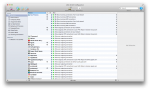
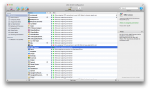
[/spoiler]
[spoiler="Инструкция по регистрации"]
Для того, чтобы регистрация программы не "слетала" нужно сделать следущее:
1. Заблокировать всем компонентам Little Snitch выход в интернет с помощью самого Little Snitch
Компоненты: Little Snitch Configuration (находится в /Applications)
Little Snitch UIAgent (находится в /Library/Little Snitch/) 2.1. Открываем Терминал
2.2. Набираем команду Код: sudo nano /etc/hosts 2.3. Вводим пароль Администратора
2.4. Прогоняем курсор вниз и ставим его на пустую строку и вставляем: Код: 127.0.0.1 obdev.at
127.0.0.1 wtf.obdev.at
127.0.0.1 www.obdev.at
127.0.0.1 sw-update.obdev.at
78.46.114.187 obdev.at
78.46.114.187 wtf.obdev.at
78.46.114.187 www.obdev.at
78.46.114.187 sw-update.obdev.at 2.5. Далее нажимаем ctrl + x -> Y -> enter
[/spoiler]
Раздача будет обновляться по мере выхода новых версий
Related Torrents
| torrent name | size | uploader | age | seed | leech |
|---|---|---|---|---|---|
| 36.4 MB | APPDOZENET | 2 months | 12 | 1 | |
| 35.06 MB | Lilong99 | 7 months | 2 | 5 | |
| 35.06 MB | Hrund | 8 months | 0 | 1 | |
| 28.51 MB | SkiZzoLfs | 9 months | 1 | 1 | |
| 34.6 MB | appdoze | 10 months | 14 | 2 |
All Comments