Nouvelle Version: Mindjet MindManager 2019 v19.0.295 Multilingual (x86x64)
movies, software, shows...
Files
| Corel.Mindjet.MindManager.2019.v19.0.x.Patch.WinALL-iND (???? ?? ???),???? ?? ???.png | 24.75 KB | ||
| Corel.Mindjet.MindManager.2019.v19.0.x.Patch.WinALL-iND (???? ?? ???),????.pdf | 580.67 KB | ||
| Corel.Mindjet.MindManager.2019.v19.0.x.Patch.WinALL-iND (???? ?? ???),change.the.interface.language.readme.jpg?042148 | 122.14 KB | ||
| Corel.Mindjet.MindManager.2019.v19.0.x.Patch.WinALL-iND (???? ?? ???),change.the.interface.language.readme.pdf | 366.54 KB | ||
| Corel.Mindjet.MindManager.2019.v19.0.x.Patch.WinALL-iND (???? ?? ???),crack.readme.first.pdf | 52.5 KB | ||
| Corel.Mindjet.MindManager.2019.v19.0.x.Patch.WinALL-iND (???? ?? ???),crack.readme.first.txt | 1.42 KB | ||
| Corel.Mindjet.MindManager.2019.v19.0.x.Patch.WinALL-iND (???? ?? ???),mindmanager.2019.19.0.x.32-patch.exe | 434.5 KB | ||
| Corel.Mindjet.MindManager.2019.v19.0.x.Patch.WinALL-iND (???? ?? ???),mindmanager.2019.19.0.x.32-patch.exe.md5 | 72 B | ||
| Corel.Mindjet.MindManager.2019.v19.0.x.Patch.WinALL-iND (???? ?? ???),mindmanager.2019.19.0.x.32.bite-patch.exe.md5 | 77 B | ||
| Corel.Mindjet.MindManager.2019.v19.0.x.Patch.WinALL-iND (???? ?? ???),mindmanager.2019.19.0.x.64-patch.exe | 434.5 KB | ||
| Corel.Mindjet.MindManager.2019.v19.0.x.Patch.WinALL-iND (???? ?? ???),mindmanager.2019.19.0.x.64-patch.exe.md5 | 72 B | ||
| Corel.Mindjet.MindManager.2019.v19.0.x.Patch.WinALL-iND (???? ?? ???),mindmanager.2019.19.0.x.64.bite-patch.exe.md5 | 77 B | ||
| End-User-Language-Selector-Instructions_EN.pdf | 366.54 KB | ||
| Key 2019.txt | 23 B | ||
| MM-home-final-658x400.png | 42.04 KB | ||
| MM-home-final1-1.png | 22.59 KB | ||
| Mindjet MindManager 2019 v19.0.295 Multilingual x86x64.NFO | 1.31 KB | ||
| microsoft.png | 46.88 KB | ||
| x64,Mindjet MindManager 2019.msi | 226.39 MB | ||
| x64,Mindjet MindManager 2019.msi.md5 | 64 B | ||
| x86,Mindjet MindManager 2019.msi | 226.54 MB | ||
| x86,Mindjet MindManager 2019.msi.md5 | 64 B | ||
| ▲ 22 total files | |||
Description
?
Suite à une erreur de ma part, et je m'en excuse, voici la version qui vous donnera toute satisfaction!
1 Choisissez un modèle
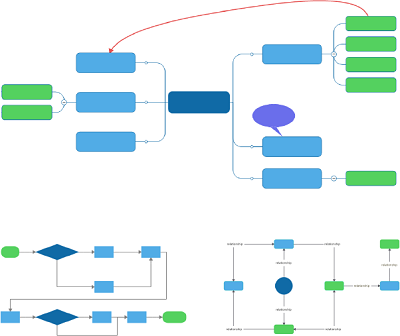
Quel que soit votre but – brainstormer des idées, planifier un projet, construire une chronologie, présenter une stratégie – il existe un modèle de mind map ou de diagramme prédéfini pour vous aider à démarrer.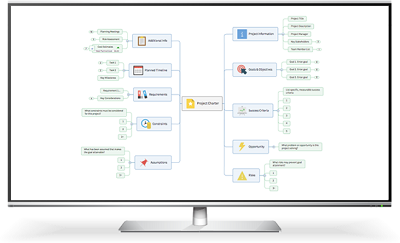
2 Commencez à taper
Parce que MindManager est rapide et non linéaire – exactement comme votre cerveau – son utilisation est simple et intuitive. Vous pouvez capturer, évaluer et organiser des idées et des informations en un éclair, le tout dans une seule et même interface fluide.
Essayez maintenant !
3 Synchronisez vos données
Ajoutez aisément à votre mind map des fichiers, des médias et d’autres contenus connexes provenant de divers sites, applications, plateformes et personnes – le tout sans avoir à jongler entre plusieurs fenêtres, sans avoir à fractionner votre écran ni à reproduire manuellement les informations.
Supported Operating Systems:
– Microsoft® Windows® 10 32-bit and 64-bit
– Microsoft® Windows® 8 and 8.1, 32-bit and 64-bit
– Microsoft® Windows® 7 Service Pack 1, 32-bit and 64-bit
Homepage – https://www.mindjet.com
Language: ML
Medicine: Patch
Instructions:
1. Install this software on your PC.
2. lisez bien les infos et pdf
3. Enjoy the all services of this software.
Related Torrents
| torrent name | size | uploader | age | seed | leech |
|---|---|---|---|---|---|
|
[macOS] CleanMyMac X 4.2.1 multi_pré_activé_[TNT][nouvelle version] Posted by
Supertorrent in Apps
> Windows
|
64.81 MB | Supertorrent | 7 years | 0 | 0 |
| 94.89 MB | Supertorr | 8 years | 0 | 0 |
All Comments