Pixelmator 2.1.4
movies, software, shows...
Files
| Pixelmator 2.1.4.dmg | 30.85 MB |
Description
Apple » Apple Macintosh » Программы для создания и обработки графики (Mac OS)
Pixelmator
[hr]
Год выпуска: 2012
Версия: 2.1.4
Разработчик: Pixelmator Team Ltd.
Платформа: Intel only
Системные требования: Mac OS X 10.6 и более новая
Язык интерфейса: только английский
Таблэтка: Не требуется
[hr]
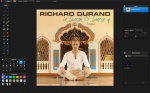
Pixelmator по сути представляет собой мини-Photoshop. Все меню, панели управления точно такие же, за одним лишь исключением – гораздо меньше инструментов (хотя присутствуют все стандартные, рассчитанные на выделение, ретуширование, работу со шрифтами и рисование, заливку и так далее).
Отдельное слово хочется замолвить о работе со слоями в Pixelmator – ахиллесову пяту всех конкурентов Photoshop. Она реализована точно так же как и в приложении от Adobe. При этом поддерживаются слои Photoshop’a в PSD файлах. Вообще, если говорить о форматах файлов, с которыми умеет работать Pixelmator, то их не счесть. Более 100, среди которых и самые популярные: PSD, TIFF, JPEG, PNG, PDF, EPS, GIF, BMP. Кроме того, программа может похвастаться продвинутыми инструментами корректировки цвета (около 15 штук), 50-ю фильтрами для применения разных графических эффектов к изображению.
[spoiler="Изменения в версиях с 1.6.5 по 2.1.4"]
[spoiler="Изменения в версии 1.6.5"]
New Features:
[*] Faster and smoother Gradient Tool
[*] Gradient sharing
[*] Faster and more precise Selection Tools
[*] Faster JPEG compression and decompression (libjpeg-turbo support in other words)
[*] Improvements
[*] Ability to use the space shortcut when using Lasso Tool
[*] Ability to use the keyboard shortcuts (Command + Option + Arrow keys) to copy layers or selections
[*] Double-click in the gradients editor to add a new gradient color stop
[*] Intersect selection mode added
[*] Transparent gradient icons are correctly shown in the Gradients palette
[*] Ability to use the Option key to draw selections from the center now added
[*] Snapping enabled for all Selection Tools
[*] Option-click on a gradient thumbnail in the Gradients palette now does not remove the gradient; instead, it is used to duplicate the gradient
[*] Option–click-and-drag a brush in the Brushes palette now will duplicate the brush
[*] Minor Save for Web improvements
[*] Minor memory management improvements added
[*] Minor user interface improvements have been added
Bug Fixes:
[*] A memory leak in the Magic Wand tool
[*] A bug that caused the eyedropper in the Apple Colors palette to pick an incorrect color outside the application
[*] A bug that sometimes caused XCF files not to open
[*] A bug that caused the Undo function not to work properly when using the Brush or Pencil tools
[*] A bug that caused the Last Filter command not to work properly after using the Fill command
[*] A bug that sometimes caused layer opacity changes after the Deselect command
[*] A bug that sometimes caused the type layer icon to appear cropped
[*] A bug that caused the inability to use some character symbols to name a layer
[*] A bug that caused the inability to change the color of a gradient color stop when double-clicking on it
[*] A bug that sometimes caused the gradient angle label to stay on-screen after using a gradient
[*] A bug that caused the JPEG-2000 quality slider not to work properly
[*] A bug that caused the transparent color wheel to appear in the gradient color stop contextual menu when picking a dark color
[*] A bug that sometimes caused layer thumbnails not to update after hiding and showing the Layers palette
[*] A bug that caused the inability to choose precise colors for gradient stops
[*] A bug that messed up Transform in the Move Tool after choosing the Layer via Copy command
[*] A few bugs that caused the inability to precisely move the contents of a selection
[*] A crash that occurred when using some blending modes on a new layer
[*] A crash that sometimes occurred when closing some PSD files
[*] A crash that occurred when exporting images with background layer opacity set to 0%
[/spoiler]
[spoiler="Изменения в версии 1.6.6"]
[*] Adds fixes and improvements that will help the app run smoothly on OS X Lion
[/spoiler]
[spoiler="Изменения в версии 1.6.7"]
[*] Improves compatibility with the new Mac OS X 10.7 Lion.
[/spoiler]
[spoiler="Изменения в версии 2.0"]
[*] New look and feel
[*] Drawing Tools and Shapes
[*] Healing Tool with Content-aware fill
[*] Smudge, Sponge, Burn, Dodge, Eyedropper, Pixel, and Red Eye Tools
[*] New Type Tool
[*] Complete OS X Lion Support
[/spoiler]
[spoiler="Изменения в версии 2.0.1"]
[*] German, French, and Japanese languages added
[*] Bug fixes and improvements
[/spoiler]
[spoiler="Изменения в версии 2.0.2"]
[*] This update improves overall stability and adds a number of minor improvements.
[/spoiler]
[spoiler="Изменения в версии 2.0.3"]
[*] Improves the performance of the Move Tool
[*] Fixes memory leaks
[*] Fixes a situation where performance would degrade over time
[*] Fixes issues with Export for Web
[*] Fixes a problem that caused corrupt PXM files
[*] And much more
[/spoiler]
[spoiler="Изменения в версии 2.0.4"]
[*] This update enables sandboxing for OS X Lion and improves overall stability.
[/spoiler]
[spoiler="Изменения в версии 2.0.5"]
Improvements
Improved performance and stability for the following graphics cards:Intel GMA 950, Intel GMA X3000, Intel GMA X3100, ATI Radeon HD 2600, and ATI Radeon X1600
Adds the ability to turn off default document opening in PXM format by typing the following command in the Terminal:
defaults write com.pixelmatorteam.pixelmator alwaysUseNativeFormat -bool no
Other issues
Resolves an issue that prevented using Pixelmator as an external editor in iPhoto and Aperture
Addresses a problem that sometimes caused an inability to save or export files
Addresses an issue that allowed images opened from the Photo Browser to be misplaced
Fixes a problem that caused different file names to appear in the Save dialog
Resolves an issue that caused brush strokes to perform incorrectly when using some brush presets
Resolves an issue that caused the Transform constrain proportion option to work incorrectly
Fixes an issue that caused incorrect Paste command behavior when using the Clipboard with content from Snapz Pro
[/spoiler]
[spoiler="Изменения в версии 2.1"]
Retina-Ready: Both Pixelmator’s friendly user interface and its powerful image editing engine are now optimized for the Retina display.
iCloud: Built right into the app and keeps your Pixelmator work up to date across all your Macs.
Effects Browser: The best and the most fun way to browse: instantly preview and quickly apply special effects or add color adjustments to images.
New Effects: Use the new Vintage, Miniaturize, Black and White, Rain, and Snow effects.
Alignment Guides: Quickly position, align, and evenly distribute objects in your Pixelmator compositions with pinpoint accuracy.
OS X 10.8 Support: Pixelmator takes full advantage of all the latest and greatest technologies.
And much more.
[/spoiler]
[spoiler="Изменения в версии 2.1.1"]
New Features: The all-new Healing Tool brings major performance and quality improvements Improvements: Improved performance for saving images
Improved Undo and Redo performance
Improved Quick Look performance
Adds the ability to temporarily disable Alignment Guides with the Command key
User interface improvements for the Retina display
False Color, Mask to Alpha, and Circular Wrap effects added Other Issues: Resolves a problem that caused the application to stop responding in various situations
Resolves a situation where Pixelmator stopped responding after exiting Full Screen
Resolves an issue where the application stopped responding when a file stored in iCloud was used on more than one computer at the same time
Resolves a problem that caused an incorrect preview of exported PSD files
Addresses a situation where imported documents did not keep their original file title intact
Resolves an issue that prevented the Generator group effects from filling a selection
Resolves an issue where the Black and White effect did not apply the Grain setting correctly
Resolves a situation where the iCloud dialog opened together with unnecessary application elements
Addresses an issue that caused a new document window to go inactive
Resolves an issue that caused palettes to disappear
Resolves an issue that caused problems with Spotlight and OS X Mountain Lion
Addresses an issue where the Clone Stamp Tool did not perform correctly on the Retina display
Resolves an issue that caused the Type Tool insertion point to disappear
Addresses an issue that caused an incorrect thumbnail preview in the Effects Browser
Addresses an issue where the pointer on the Retina display appeared incorrectly when an effect’s thumbnail was dragged from the Effects Browser to the canvas
Addresses an issue that caused the effects rope pointer to center incorrectly
Addresses an issue that caused incorrect action tooltips to appear when undoing certain effects
Resolves an issue that caused flickering for the “Add Text” tooltip on the Retina display
Resolves an issue that caused transparent lines to appear within images on the Retina display
[/spoiler]
[spoiler="Изменения в версии 2.1.2"]
This update improves Healing Tool quality
[/spoiler]
[spoiler="Изменения в версии 2.1.3"]
This update improves overall stability and performance, including the following:
New color management: Soft Proofing, ColorSync, full sRGB support
Enhanced PSD file format support
Improved Automator actions
Italian and Spanish languages added
And much more
[/spoiler]
[spoiler="Изменения в версии 2.1.4"]
Improvements Improves Auto Save support
Enables layer Auto Select for painting and retouching tools
Improves effects' responsiveness when working with large images
Improves Document Window resizing performance
Improves Info Bar responsiveness
Improves selections' snapping accuracy
Improves Adobe Photoshop CS6 brush collections support
Enhances PDF file format support
Improves localizations Other Issues
[*] Resolves an issue that caused an image to disappear while transforming it
[*] Resolves an issue that caused the Brushes palette to expand beyond the computer screen when importing large brush collections
[*] Addresses a situation where scanned images could not be imported to the application
[*] Resolves an issue that caused the selection to snap when the snapping option is disabled with the Command key
[*] Resolves an issue that caused the pointer to become inactive when entering the Full Screen mode
[*] Resolves an issue that caused the shape line preview to disappear when entering the Full Screen mode
[*] Addresses a situation that caused the duplicated document in Full Screen mode to appear in regular mode
[*] Addresses a situation where the shared document is not being updated with further edits if it's shared more than one time without closing the application
[*] Resolves an issue that caused the application to become inactive when canceling the Share command to other applications
[*] Addresses a situation that prevented users from creating new documents when the clipboard is filled with files from other applications
[*] Addresses a situation where images from iPhoto could not be opened from Photo Browser
[*] Resolves an issue that caused the Crop Image action to expand images incorrectly
[*] Resolves an issue that caused layer opacity to display incorrectly when transforming the layer
[*] Addresses a situation where the Info Bar displayed angle information for text and shape layers when moving them
[*] Resolves an issue that caused the layer name to change when duplicating a layer mask with the Option-Arrow keyboard shortcut
[*] Addresses a situation where the Move Tool's handles did not update from a layer mask to a layer after the layer mask is deleted
[*] Resolves an issue that caused the action tool tip to display incorrect information when undoing the "merge layers" action
[*] Resolves an issue that caused shape layers to disappear after the image is cropped
[*] Addresses a situation where the Auto Select layer shortcut displayed layers from other documents
[*] Resolves an issue that caused the Polygonal Lasso Tool to snap while drawing
[*] Resolves an issue that caused the Pen Tool to snap while drawing
[*] Addresses an issue that prevented a selection from loading on hidden layers
[*] Addresses a situation where the Fill command did not show preview with larger images
[*] Addresses an issue where the Stroke command did not work when Blending modes are used on layer
[*] Resolves an issue that caused the Clone Stamp Tool to leave strokes on other documents in some cases
[*] Resolves an issue that caused the Tools palette to disappear in OS X Snow Leopard
[*] Resolves an issue that caused the gradient's slider stops to appear upside down in some cases
[*] Resolves an issue that caused the Colors palette to appear along with tools where the colors are not needed
[*] Resolves an issue that caused the Quit and Keep Windows menu to be active when New Document dialog is open
[*] Resolves an issue that caused a graphical glitch when using the Stroke command on a MacBook Pro with Retina display
[*] Resolves an issue that caused an image to disappear when working with a Gradient Tool on Macs with Intel HD 3000 graphics card
[*] Resolves an issue that caused the application to quit unexpectedly when changing the layer's Blending mode from normal to luminosity on Macs with Intel HD 4000 graphics cards
[*] Resolves an issue that caused the application to quit unexpectedly when duplicating layers on Macs with Intel HD 4000 graphics cards
[*] Resolves an issue that caused the application to quit unexpectedly when corrupted Onyx font is used
[*] Addresses an issue that caused the application to quit unexpectedly when opening files that are larger than 32,000 x 32,0000 pixels
[*] Addresses a situation where the application stops responding when the transform or crop tool bounding box area size is larger than 32,000 x 32,000 pixels
[*] Addresses a situation where the application stops responding when reactivated after deactivation
[*] Resolves an issue that caused the application to quit unexpectedly in some cases when undoing actions
[*] Resolves an issue that caused the application to quit unexpectedly in some cases when using the Eyedropper Tool
[/spoiler]
[/spoiler]
[spoiler="Скриншоты"]

[/spoiler]
Раздача будет обновляться по мере выхода новых версий
Related Torrents
| torrent name | size | uploader | age | seed | leech |
|---|---|---|---|---|---|
| 615.6 MB | APPDOZENET | 4 months | 3 | 0 | |
| 641.23 MB | THcRndyL | 6 months | 6 | 8 | |
| 659.2 MB | appdoze | 1 year | 11 | 0 | |
| 659.2 MB | haxNode | 1 year | 12 | 1 | |
| 662.83 MB | Wonik38347 | 1 year | 0 | 0 |
All Comments