[WIIU] Assassin_s Creed_ IV Black Flag EUR HDD
movies, software, shows...
Files
| install | |||
| 00000000.app | 32 KB | ||
| 00000001.app | 32 KB | ||
| 00000002.app | 32 KB | ||
| 00000003.app | 192 KB | ||
| 00000003.h3 | 20 B | ||
| 00000004.app | 11.19 MB | ||
| 00000004.h3 | 20 B | ||
| 00000005.app | 1.06 MB | ||
| 00000005.h3 | 20 B | ||
| 00000006.app | 1.06 MB | ||
| 00000006.h3 | 20 B | ||
| 00000007.app | 17.31 MB | ||
| 00000007.h3 | 20 B | ||
| 00000008.app | 160 KB | ||
| 00000009.app | 22.44 MB | ||
| 0000000a.app | 29.91 MB | ||
| 0000000b.app | 409 MB | ||
| 0000000b.h3 | 40 B | ||
| 0000000c.app | 304.5 MB | ||
| 0000000c.h3 | 40 B | ||
| 0000000d.app | 440.31 MB | ||
| 0000000d.h3 | 40 B | ||
| 0000000e.app | 490.88 MB | ||
| 0000000e.h3 | 40 B | ||
| 0000000f.app | 475.56 MB | ||
| 0000000f.h3 | 40 B | ||
| 00000010.app | 492.75 MB | ||
| 00000010.h3 | 40 B | ||
| 00000011.app | 464.88 MB | ||
| 00000011.h3 | 40 B | ||
| 00000012.app | 335.19 MB | ||
| 00000012.h3 | 40 B | ||
| 00000013.app | 396.69 MB | ||
| 00000013.h3 | 40 B | ||
| 00000014.app | 395.75 MB | ||
| 00000014.h3 | 40 B | ||
| 00000015.app | 436.13 MB | ||
| 00000015.h3 | 40 B | ||
| 00000016.app | 369.31 MB | ||
| 00000016.h3 | 40 B | ||
| 00000017.app | 202.56 MB | ||
| 00000017.h3 | 20 B | ||
| 00000018.app | 365.88 MB | ||
| 00000018.h3 | 40 B | ||
| 00000019.app | 720 MB | ||
| 00000019.h3 | 60 B | ||
| 0000001a.app | 593.75 MB | ||
| 0000001a.h3 | 60 B | ||
| 0000001b.app | 1.81 MB | ||
| 0000001b.h3 | 20 B | ||
| 0000001c.app | 134.25 MB | ||
| 0000001c.h3 | 20 B | ||
| 0000001d.app | 1010.38 MB | ||
| 0000001d.h3 | 80 B | ||
| 0000001e.app | 311.38 MB | ||
| 0000001e.h3 | 40 B | ||
| 0000001f.app | 414.13 MB | ||
| 0000001f.h3 | 40 B | ||
| 00000020.app | 503 MB | ||
| 00000020.h3 | 40 B | ||
| 00000021.app | 493.44 MB | ||
| 00000021.h3 | 40 B | ||
| 00000022.app | 52.94 MB | ||
| 00000022.h3 | 20 B | ||
| 00000023.app | 477.19 MB | ||
| 00000023.h3 | 40 B | ||
| 00000024.app | 468.88 MB | ||
| 00000024.h3 | 40 B | ||
| 00000025.app | 1.15 GB | ||
| 00000025.h3 | 100 B | ||
| 00000026.app | 404.63 MB | ||
| 00000026.h3 | 40 B | ||
| 00000027.app | 268.63 MB | ||
| 00000027.h3 | 40 B | ||
| 00000028.app | 361.63 MB | ||
| 00000028.h3 | 40 B | ||
| 00000029.app | 282.75 MB | ||
| 00000029.h3 | 40 B | ||
| title.cert | 2.5 KB | ||
| title.tik | 848 B | ||
| title.tmd | 6.47 KB | ||
| wiiu | |||
| apps | |||
| homebrew_launcher | |||
| homebrew_launcher.elf | 1.46 MB | ||
| icon.png | 35.1 KB | ||
| meta.xml | 444 B | ||
| wupinstaller.elf | 1.46 MB | ||
| wupinstaller_mod | |||
| icon.png | 13.91 KB | ||
| meta.xml | 459 B | ||
| wupinstaller.elf | 37.98 KB |
Description
(¯`·._.·[ Assassin's Creed IV : Black Flag ]·._.·´¯)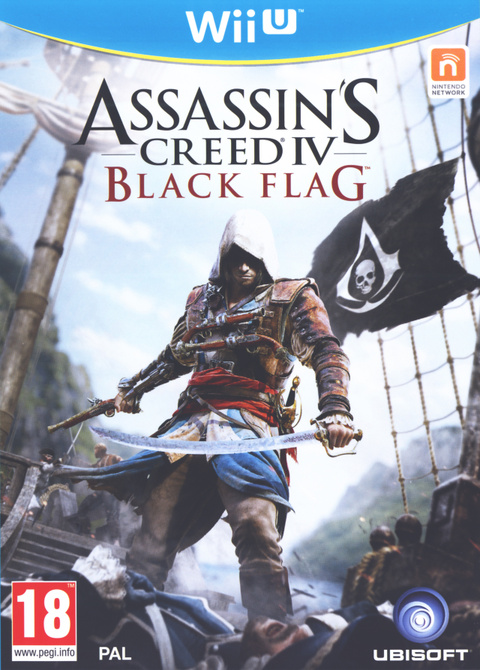


Plateforme disponible : PC PS4 ONE WiiU PS3 360
Editeur : Ubisoft Montreal
Développeur : Ubisoft
Type : Action
Note globale du test : 16.2
Multijoueurs : Jouable en solo / Multi en ligne
Date : 29 Octobre 2013
Descriptif du jeu :
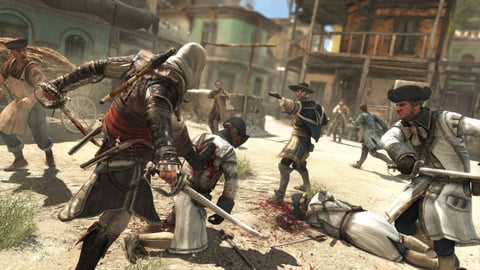
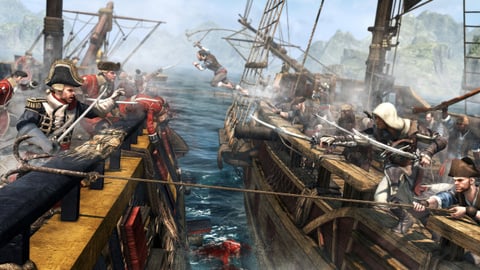
Jeu d'action-aventure en monde ouvert, Assassin's Creed IV : Black Flag prend place dans les Caraïbes du XVIIIe siècle et vous place dans la peau d'Edward Kenway, pirate peu scrupuleux. Naviguant à bord de son vaisseau, le Jackdaw, vous voyagerez de la Floride à la Jamaïque en passant par quelques villes dont La Havane et Kingston.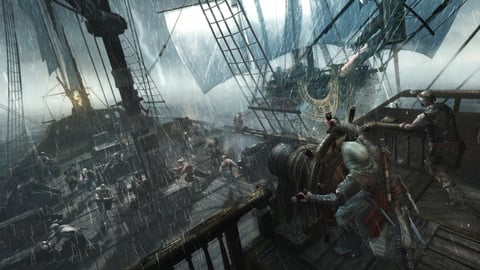



Hébergeur : Torrent
Format : Autre ...
Plateforme : Aucune Info
Fichier inclus avec le Jeu : Aucun
Langues :  Francais
  Anglais
  Allemand
  Italien
  Espagnol
  Russe
Russe
Région : EURO
Nom de la release : [WIIU] Assassin_s Creed_ IV Black Flag EUR HDD
Découper avec : Aucun 
UP réalisé par : Gylgyl2000
Nombre de fichiers et tailles : 1 x 13030 Mo
Taille totale : 13030 Mo ou 12,72 Go
Total du post: 13030 Mo ou 12,72 Go
Installation :
-Copier les dossiers "wiiu" et "install" à la racine de la SD
-Brancher votre disque dur ou clé USB à la wiiu
-Insérer la SD dans la wiiu
-Lancer internet :
-Aller sur www.wj44.ml
-Kernel Examples (PyGecko, Loadiine, Homebrew Launcher,...)
-Homebrew Launcher (A Homebrew Launcher for WiiU).
-Lancer wup installer mod
-Faire X pour installer sur le disque externe ou A pour la mémoire interne de la console
-Attendre la fin de l’installation
-Lorsque l'installation est terminée, appuyer sur home pour retourner au homebrew launcher, une 2ème fois pour quitter le homebrew launcher.
-retourner sur le menu et le jeu est installé.
All Comments