WordPress Website 2024: A Simplified Version For Newbies
movies, software, shows...
Files
| 1. Bonus Content.mp4 | 14.6 MB | ||
| 1. Create privacy page.mp4 | 45.3 MB | ||
| 1. Final steps before going live.mp4 | 12.4 MB | ||
| 1. How to create quality content [checklist].mp4 | 33.1 MB | ||
| 1. Importance of website security.mp4 | 15.3 MB | ||
| 1. Install WordPress on your website.mp4 | 20.2 MB | ||
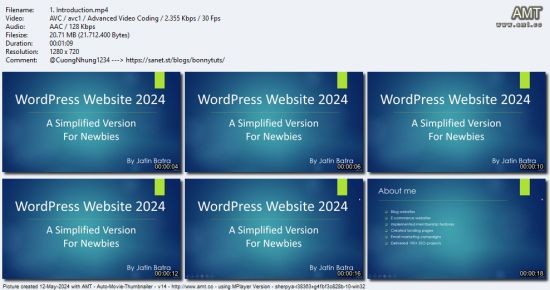
| 1. Introduction.mp4 | 20.7 MB | ||
| 1. Understand & implement basic SEO on your new website.mp4 | 26.6 MB | ||
| 1. What is a plugin.mp4 | 7.7 MB | ||
| 1. What is a theme.mp4 | 6.1 MB | ||
| 1.1 Quality content checklist for beginners.pdf | 892.8 KB | ||
| 10. Add top menu & footer menu.mp4 | 90.6 MB | ||
| 10. How to remove blog page.mp4 | 21.1 MB | ||
| 10. Protect your domain name from unauthorised transfer.mp4 | 8.4 MB | ||
| 10. Review website traffic stats for added security.mp4 | 29.7 MB | ||
| 11. Add sidebar & customize available options.mp4 | 97.3 MB | ||
| 11. Auto update WordPress core files, themes & plugins.mp4 | 20.5 MB | ||
| 11. How to change to another template.mp4 | 39.2 MB | ||
| 12. How to fix image or text not updating issues in post or pages.mp4 | 32.1 MB | ||
| 13. How to add social media buttons on every page.mp4 | 35.3 MB | ||
| 2. Absolutely crucial steps after WordPress installation.mp4 | 80.1 MB | ||
| 2. Course preview.mp4 | 11.9 MB | ||
| 2. Create a terms & conditions page.mp4 | 29.1 MB | ||
| 2. How to create blog post titles.mp4 | 10.8 MB | ||
| 2. How to find the right theme & activate it.mp4 | 20.8 MB | ||
| 2. How to select a plugin for your WordPress website.mp4 | 15.5 MB | ||
| 2. Website security checklist for beginners.mp4 | 20.4 MB | ||
| 2. What are heading tags.mp4 | 14.6 MB | ||
| 3. Create a contact us page.mp4 | 82.3 MB | ||
| 3. How to create blog posts for your website with AI.mp4 | 14.4 MB | ||
| 3. Install & activate the chosen theme.mp4 | 83.5 MB | ||
| 3. Install selected plugin & activate it.mp4 | 11.8 MB | ||
| 3. Overview of WordPress dashboard.mp4 | 36.2 MB | ||
| 3. Setup strong password & secure username.mp4 | 31.2 MB | ||
| 3. What are image ALT text.mp4 | 9.3 MB | ||
| 3. Why should you use WordPress.mp4 | 28.8 MB | ||
| 4. Add security plugin & activate essential settings.mp4 | 82.2 MB | ||
| 4. Create a new post and understand post attributes i.e. categories, tags.mp4 | 34.2 MB | ||
| 4. Deactivate & delete plugins.mp4 | 16 MB | ||
| 4. How to check your content for plagiarism.mp4 | 13 MB | ||
| 4. Important step before theme customization.mp4 | 15.5 MB | ||
| 4. Setup WordPress general settings.mp4 | 31.7 MB | ||
| 4. What is domain name & different extensions.mp4 | 9.5 MB | ||
| 4. What is site title & URL.mp4 | 13.4 MB | ||
| 5. Access WordPress admin panel directly.mp4 | 4.6 MB | ||
| 5. Add essential plugins for your website.mp4 | 96 MB | ||
| 5. Add headings, table, image, hyperlink and embedded video.mp4 | 108.6 MB | ||
| 5. Free domain or business name generator tool.mp4 | 6.7 MB | ||
| 5. How to find the royalty free images.mp4 | 33 MB | ||
| 5. Secure your admin login page.mp4 | 39.2 MB | ||
| 5. Theme settings & customization.mp4 | 157.3 MB | ||
| 5. What is hyperlink.mp4 | 4.9 MB | ||
| 6. Create blog page and display in header menu.mp4 | 67.2 MB | ||
| 6. How to create featured images for your blog free.mp4 | 113.4 MB | ||
| 6. Importance of linking content internally.mp4 | 15.5 MB | ||
| 6. Lockout the malicious users & spammers.mp4 | 55.7 MB | ||
| 6. Site title & tagline update.mp4 | 11.1 MB | ||
| 6. What is domain privacy & why it is important.mp4 | 11.1 MB | ||
| 7. Addupdate website logo.mp4 | 16.7 MB | ||
| 7. Backup your WordPress website (crucial step) to avoid data loss.mp4 | 25.9 MB | ||
| 7. How to optimize images for fast loading.mp4 | 39.8 MB | ||
| 7. SEO fundamentals in search result.mp4 | 17.3 MB | ||
| 7. What is web hosting & different types of hosting.mp4 | 12.7 MB | ||
| 8. Free logo generator tool.mp4 | 98.5 MB | ||
| 8. How to test your password strength.mp4 | 8.4 MB | ||
| 8. Protect contact page from spammers.mp4 | 39.9 MB | ||
| 8. SEO plugin installation & basic settings.mp4 | 31.5 MB | ||
| 8. WordPress vs shared hosting.mp4 | 34.3 MB | ||
| 9. Design website homepage.mp4 | 100.7 MB | ||
| 9. How to remove homepage.mp4 | 33.1 MB | ||
| 9. Prevent spamming of comments.mp4 | 21.4 MB | ||
| 9. SEO plugin in action with example post.mp4 | 110.9 MB | ||
| 9. Set up web hosting plan & domain.mp4 | 11.2 MB | ||
| ▲ 73 total files | |||
Description
Master WordPress Programming - Comprehensive eLearning Course
Published: May 2024
Created by: Jatin Batra
Format: MP4 | Video: h264, 1280x720 | Audio: AAC, 44.1 KHz, 2 Ch
Genre: eLearning | Language: English | Duration: 72 Lectures (3h 29m) | Size: 2.55 GB[/size]
Thinking of starting your first personal blog or small business website?
What You'll Learn:
Why should you use WordPress
Understanding domain names, domain extensions, and domain privacy
Introduction to web hosting & different types of web hosting
Setup domain & hosting
Install WordPress for the first time on your website
WordPress general settings & dashboard view
Activate themes & customize theme options
Add essential plugins & customize settings
Add text content, images, videos, and additional settings
Online tools to design images
Secure your website
Learn SEO basics
Optimize your website for speed
Requirements:
No previous knowledge or coding skills required
Tablet, mobile, or computer with an Internet connection
Description:
Join Jatin Batra in this comprehensive course designed to take you through the entire process of setting up your WordPress website from start to finish. This course is perfect for beginners and provides a solid foundation for creating and managing your personal blog or small business website. Additionally, it covers essential aspects of search engine optimization (SEO) and website security to ensure your site is easily found and well-protected.
With years of experience in designing blogs, eCommerce websites, implementing membership features, creating landing pages, and running successful SEO projects for clients worldwide, Jatin Batra brings a wealth of knowledge to this course.
Course Overview:
Why use WordPress
Understanding domain names, extensions, and privacy
Choosing the right web hosting plan
Installing and configuring WordPress
Adding essential plugins and customizations
Exploring and customizing different theme templates
Publishing your first post and page
SEO basics for better search engine visibility
Website security essentials
Who This Course is For:
Beginners with no prior experience
Individuals ready to start their own personal blog or small business website
Anyone keen to manage their new website independently
Embark on your WordPress journey today and build a robust online presence with ease!
Related Torrents
| torrent name | size | uploader | age | seed | leech |
|---|---|---|---|---|---|
|
Udemy - Build a WordPress Website from Scratch with ChatGPT and Claude Posted by
freecoursewb in Other
|
871.2 MB | freecoursewb | 2 months | 29 | 4 |
| 1.4 GB | freecoursewb | 6 months | 10 | 2 | |
|
Udemy - WordPress Website Creation - From Zero to Live in Just Hours Posted by
freecoursewb in Other
|
2.8 GB | freecoursewb | 1 year | 18 | 5 |
|
Udemy - Build E-commerce Website With WooCommerce Wordpress For FREE Posted by
freecoursewb in Other
|
2.1 GB | freecoursewb | 1 year | 4 | 0 |
| 1.1 GB | freecoursewb | 2 years | 8 | 1 |
All Comments